en use skills
Anthropic's Agent Skills are a modular extension standard designed to turn Claude from a "general-purpose chatbot" into a "task executor" with domain-specific expertise. A Skill is a structured folder containing instructions, scripts, metadata, and reference resources. It is more than just a prompt—it functions like a specialized "operation manual" that is dynamically loaded only when the Agent needs to perform a specific task. A Tool is the model's concrete interface for interacting with the outside world (APIs/functions), while a Skill standardizes the combination of instructions, templates, and tools into a reusable task execution guide. Traditional Tools require all API definitions to be injected into the prompt at conversation start. If there are more than 50 tools, tens of thousands of tokens can be consumed before any conversation begins, making responses slower and costlier.
Support for Anthropic Skills was introduced in AstrBot starting from v4.13.0, allowing users to easily integrate and use various predefined skill modules to improve the Agent's performance on specific tasks.
- Progressive Disclosure: The model initially loads only skill names and short descriptions. Detailed
SKILL.mdinstructions are loaded only when a task matches, saving context window space and reducing cost. - Highly Reusable: Skills can be used across different Claude API projects, Claude Code, or Claude.ai.
- Executable Capability: Skills can include executable code scripts that, together with Anthropic's code execution environment, can directly generate or process files.
Open the AstrBot admin panel, navigate to the Plugins page, and find Skills.
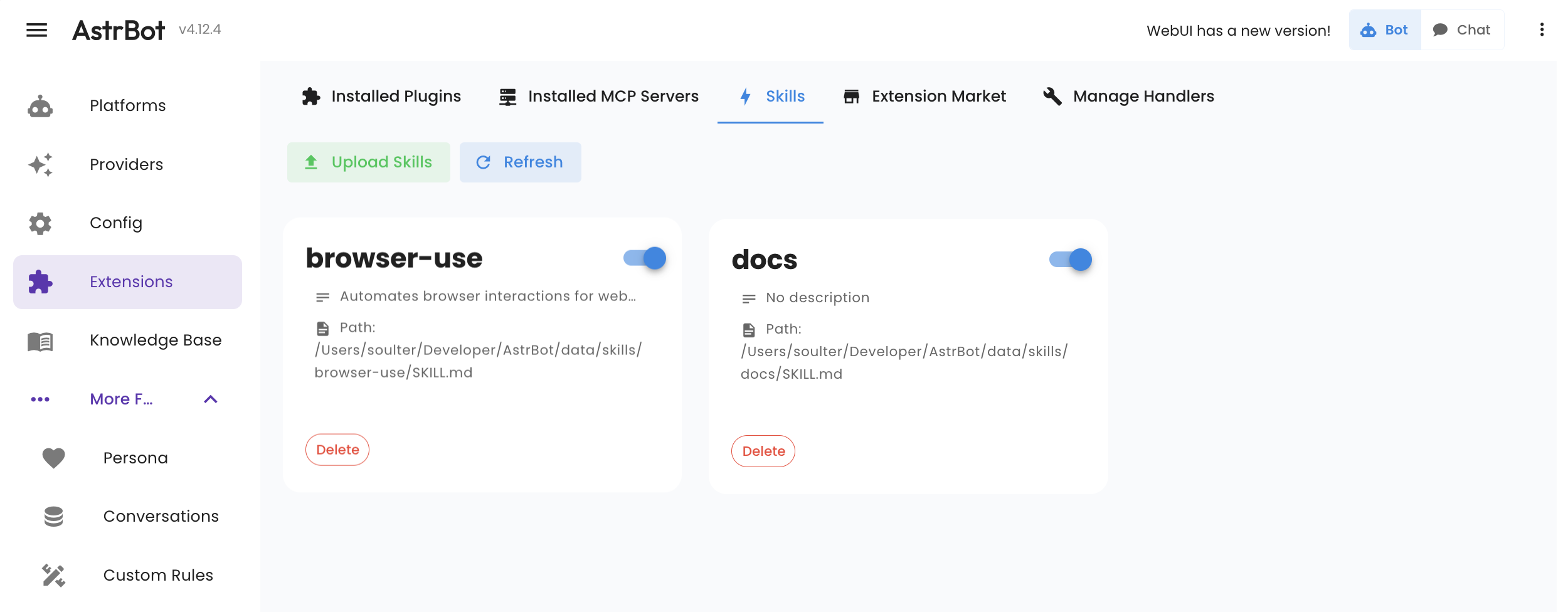
You can upload Skills with the following requirements:
- The upload must be a
.ziparchive. - After extraction, it can contain one or more Skill folders. Each folder name is used as the Skill identifier in AstrBot. Use English letters, numbers, dots, underscores, or hyphens.
- Each Skill folder must include a file named exactly
SKILL.md. The filename is case-sensitive. Its contents should preferably follow the Anthropic Skills specification. You can refer to Anthropic's documentation: https://code.claude.com/docs/en/skills
AstrBot can discover Skills from several places:
-
Local Skills: uploaded from the WebUI or placed under
data/skills/<skill_name>/SKILL.md. These appear in the WebUI Skills management page. -
Plugin-provided Skills: plugins can bundle Skills in their own
skills/directory. They appear in the WebUI, but are managed by the plugin, so they cannot be deleted or edited from the Local Skills page. - Sandbox preset Skills: when the sandbox runtime is used, AstrBot reads Skills discovered inside the sandbox and provides them to the Agent.
-
Workspace Skills: Skills under the current session workspace, at
skills/<skill_name>/SKILL.md. They are currently injected only in local runtime, where the path is usuallydata/workspaces/{normalized_umo}/skills/<skill_name>/SKILL.md.
Workspace Skills are request-scoped. In local runtime, when AstrBot builds a request, it checks the current session workspace for a skills/ directory and appends valid Skills to that request's Skill inventory. They are not shown in the WebUI Skills management page yet, and they are not written to the global Skills configuration.
If a persona is configured to select specific Skills, that list filters only local, plugin-provided, and sandbox Skills. Workspace Skills are still discovered and injected as part of the current request. Workspace Skills are disabled only when the persona is explicitly configured to use no Skills.
When multiple sources contain a Skill with the same name, request-time priority is:
- If the current persona is explicitly configured to use no Skills, no Skills are injected, including Workspace Skills.
- If the current persona selects a specific Skill list, that list does not filter Workspace Skills.
- The current session's Workspace Skill has the highest priority. If it has the same name as a local, plugin, or sandbox Skill, it overrides that Skill for the current request only.
- Local Skills take priority over plugin-provided Skills and sandbox-only Skills.
- Plugin-provided Skills take priority over sandbox-only Skills.
- Sandbox-only Skills are injected only when there is no local, plugin, or workspace Skill with the same name.
If a local Skill has been synced into the sandbox, AstrBot treats it as the same Skill. In sandbox runtime, the request will prefer the path that is readable inside the sandbox. Workspace Skills are not automatically synced into the sandbox yet.
Skills serve as operation manuals for Agents and often include executable Python snippets and scripts. Therefore, an Agent requires an execution environment.
Currently, AstrBot provides two execution environments:
- Local — The Agent runs in your AstrBot runtime environment. Use with caution: this allows the Agent to execute arbitrary code in your environment, which may pose security risks.
- Sandbox — The Agent runs inside an isolated sandbox environment. You must enable AstrBot sandbox mode first. See: /use/astrbot-agent-sandbox. If sandbox mode is not enabled, Skills will not be passed to the Agent.
You can select the default execution environment on the Config page under "Computer Use".
Note
Please note: if you select Local as the execution environment, AstrBot currently only allows AstrBot administrators to request that the Agent operate on your local environment. Regular users are prohibited from doing so. The Agent will be prevented from executing code locally via Shell, Python, or other tools and will receive a permission restriction message such as Sorry, I cannot execute code on your local environment due to permission restrictions..