
Your analysis deserves better than a Medium post.
Publish Jupyter notebooks, LaTeX equations, and code-heavy articles as beautiful blog posts — with proper metadata, syntax highlighting, and SEO. All from Markdown files you own.
Built on HugoBlox — the open-source framework where AI generates your pages and you own everything as Markdown.
Deploy Free (60s) | Customize with AI | Live Demo


Part of the HugoBlox ecosystem · 150,000+ sites · Rated 4.9/5 (official survey) · Since 2016
Most blogging platforms butcher code formatting, strip metadata, and lock your content in a database. This is a technical blog built for people who write code, not just about it:
- Data scientists & ML engineers who want to publish Jupyter notebooks as blog posts — code, outputs, and narrative intact
- Technical writers who need proper syntax highlighting, LaTeX math, and Mermaid diagrams
- Researchers publishing analyses with citations, BibTeX references, and reproducible content
- Developers who want a blog that loads fast, ranks well, and doesn't cost $20/month to host
"I moved my blog from Medium to this template and my organic traffic doubled in three months. Turns out owning your own domain and having proper SEO metadata makes a difference." — Priya Sharma, Senior Data Scientist
"I publish my Jupyter notebooks directly as blog posts. No screenshots of code, no copy-paste formatting disasters. Just drop the .ipynb and it renders beautifully." — Tom Eriksson, ML Engineer, Stockholm

| Feature | Benefit |
|---|---|
| Jupyter & RMarkdown | Publish .ipynb notebooks as beautiful posts — code, outputs, and narrative intact. |
| LaTeX math | Native rendering for equations and technical writing. Drop in $E=mc^2$ and it just works. |
| Syntax highlighting | 100+ languages with proper code blocks. No screenshots of your IDE. |
| Mermaid diagrams | Flowcharts, sequence diagrams, and architecture drawings in text. |
| Tags, categories & authors | Organize posts with structured metadata. Multi-author support included. |
| SEO & AI-ready | Optimized for search engines and LLMs — your work gets found and recommended. |
| AI page generation | Describe what you need to Hugo Chat — get structured pages with correct front matter instantly. |
| Visual editor | Drag-and-drop blocks in VS Code with Ownable CMS. No coding needed. |
| Plain Markdown | Every file is human-readable. No database, no lock-in, take your content anywhere. |
| Free hosting | Deploy to GitHub Pages, Netlify, Vercel, or Cloudflare — all free tier. |
Option A: Launch in browser (fastest — no install needed)
Tip
Deploy a live site in 60 seconds — no software to install: Deploy Data Science Blog free
Option B: Use the CLI
# Requires Hugo Extended & Node.js
npx hugoblox create site --template data-science-blog|
✨ Hugo Chat — AI customization Tell Hugo Chat what you want in plain English. It generates structured pages with the right front matter, shortcodes, and blocks for this template.
|
Ownable CMS — visual editing in VS Code
|
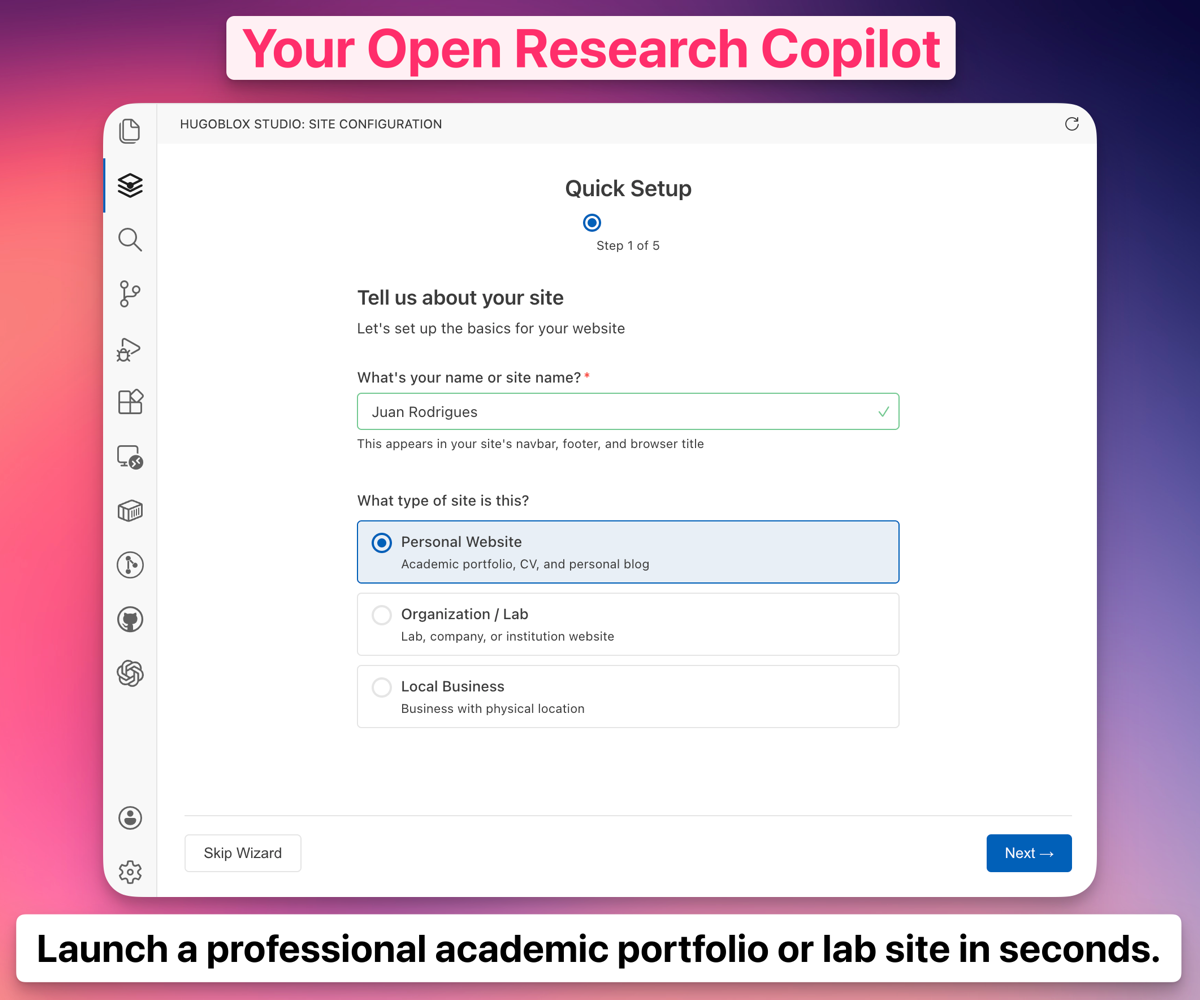 Ownable CMS: Drag-and-drop page builder inside VS Code.
Note
New to Hugo? No problem. You don't need to know Hugo — edit visually or write Markdown. Hugo is the engine under the hood that makes your site fast, secure, and free to host. Learn more →
Love the free version? Blog Pro takes it further:
- Premium designs that make your content stand out
- Advanced post layouts and reading experience
- Enhanced category and series navigation
- Remove attribution, priority support
| Data Science Blog (Free) | Blog Pro | |
|---|---|---|
| Design | Clean & professional | Premium designs |
| Post layouts | Standard | Advanced layouts |
| Navigation | Tags & categories | Series & collections |
| Support | Community | Priority |
Compare plans | Deploy Blog Pro
Why not just use WordPress, Webflow, or an AI builder like Lovable?
| AI builders (Lovable, v0) | CMS platforms (WordPress, Webflow) | HugoBlox | |
|---|---|---|---|
| AI generates your pages | Yes | No | Yes |
| You own the output as readable files | No — React code | No — database | Yes — Markdown |
| Free to host forever | No | No | Yes |
| Human-editable without the tool | Barely | No | Yes — it's Markdown |
| Open source | No | No | Yes — MIT licensed |
Important
Your content is plain Markdown files. No lock-in, no database, no vendor dependency. If you ever want to leave, take your files and go.
Do I need to know Hugo?
No. Edit visually with Ownable CMS or write Markdown. Hugo is the build engine — you don't need to touch it.Can I publish Jupyter notebooks directly?
Yes. Drop a.ipynb file into your content folder and it renders as a blog post with code cells, outputs, and narrative intact.
Can I migrate from Medium or WordPress?
Yes. Export your posts as Markdown (tools exist for both platforms) and drop them into the content folder. Your site is just Markdown files.Can I host for free?
Yes. GitHub Pages, Netlify, Vercel, and Cloudflare Pages all have free tiers for static sites.What's Hugo Chat?
An AI assistant trained on Hugo and HugoBlox docs. Describe what you want and it generates the right pages with correct front matter. Free to try.Can I cancel Pro anytime?
Yes. No questions asked.Deploy in 60 seconds. Customize with AI. Own it as Markdown forever.
Deploy Data Science Blog — free | Customize with AI
- 💬 Discord — ask questions, share your site
- 📚 Docs
- ⭐ Star HugoBlox — help others find it
- 🐦 Follow on X
❤️ Sponsor on GitHub | 🏢 Become a Partner
MIT © 2016-present Lore Labs
