Adds LaTeX math rendering to the Claude Code VSCode extension. Rendered with KaTeX.



Temporary workaround for anthropics/claude-code#16446 until native LaTeX rendering is added.
Renders inline math ($...$, \(...\)) and display math ($$...$$, \[...\]) in Claude's chat responses — including matrices and multi-line environments like aligned, cases, and bmatrix.
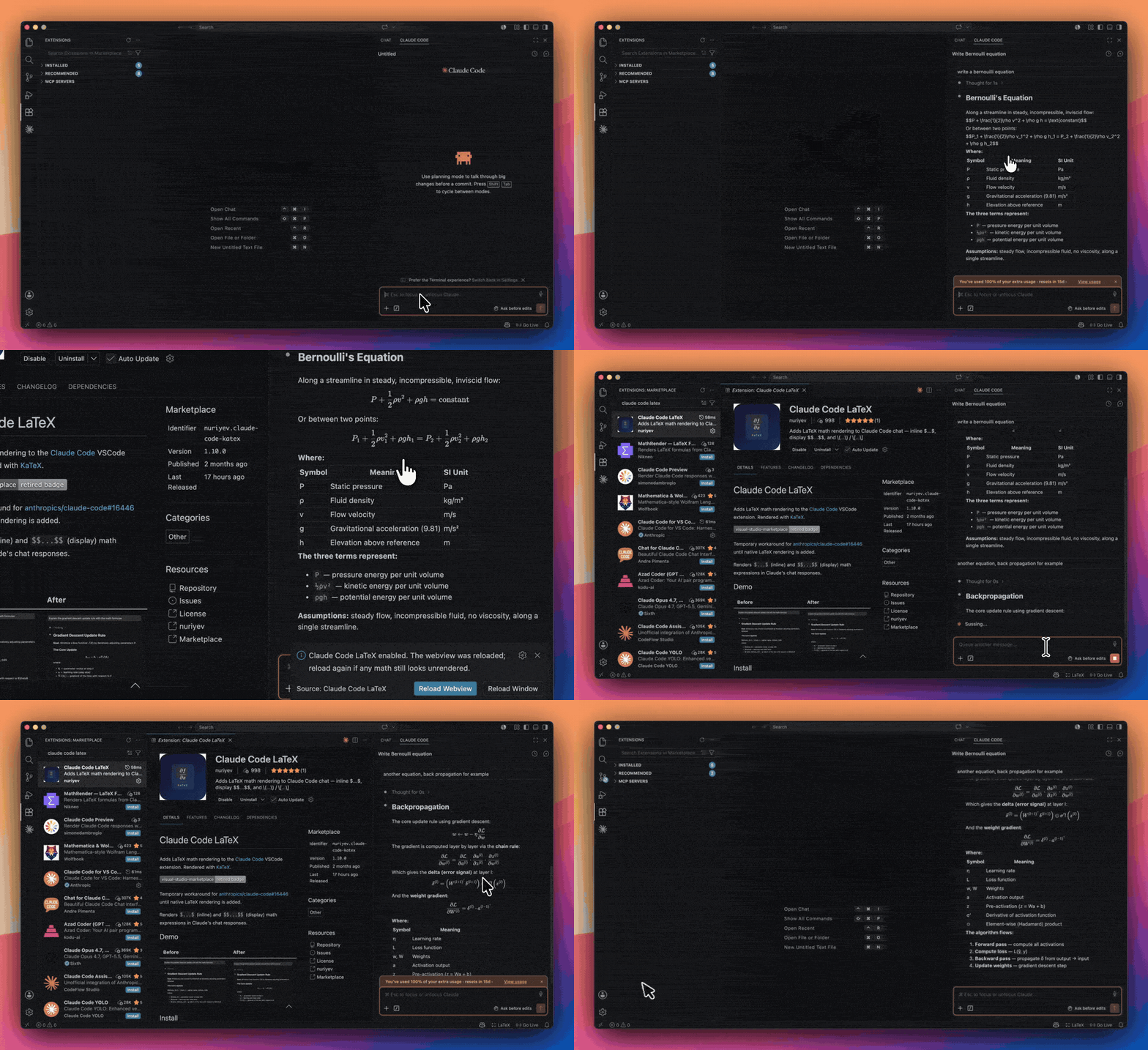
Claude Code's raw $$...$$ → rendered math, the moment the extension is installed.
| Before | After |
|---|---|
 |
 |
Search for "Claude Code LaTeX" in the Extensions tab, or:
code --install-extension nuriyev.claude-code-katex- Download the latest
.vsixfrom Releases - In VSCode:
Ctrl+Shift+P→Extensions: Install from VSIX... - Reload when prompted
The extension patches Claude Code automatically on startup. If you need manual control:
Ctrl+Shift+P→ Claude Code LaTeX: EnableCtrl+Shift+P→ Claude Code LaTeX: DisableCtrl+Shift+P→ Claude Code LaTeX: Status
The extension injects remark-math and rehype-katex into Claude Code's own Markdown rendering pipeline. Math is tokenized while Claude Code parses the Markdown — before the parser can alter it — so the LaTeX reaches KaTeX exactly as written. This is what lets backslash-heavy expressions (matrix row breaks \\, spacing macros \, \; \!, escaped braces) and multi-line environments render correctly.
It patches Claude Code's webview bundle on startup and reloads the webview so rendering takes effect immediately. When Claude Code updates, the patch is automatically re-applied. If a future Claude Code build changes its internals so the patch no longer fits, the extension leaves Claude Code untouched and notifies you to update.
extension.js of Claude Code is never modified. Only the webview bundle (which runs in an isolated browser context) is patched, and originals are backed up.
To temporarily disable LaTeX rendering, use the command:
Ctrl+Shift+P → Claude Code LaTeX: Disable. The webview reloads automatically.
To re-enable, use Claude Code LaTeX: Enable.
Uninstalling the extension from the Extensions panel automatically cleans up the patch.
Why not the Disable button in the Extensions panel? The patch lives in Claude Code's webview files on disk. Claude Code loads its webview before this extension activates, so if we removed the patch on deactivate, the webview would load unpatched files before we could re-apply. Keeping files patched on disk ensures it works reliably across restarts.
- Rendering covers everything KaTeX supports — essentially all standard math notation. A few full-LaTeX features outside its scope (such as TikZ diagrams) are not rendered.
- Code blocks are never affected.
$variableinside`code`or code fences is left alone. - This is a temporary workaround until anthropics/claude-code#16446 is resolved. Once Claude Code ships native LaTeX support, this extension can be uninstalled.
Found a rendering issue? Something not displaying correctly?
Please open an issue with:
- The LaTeX expression that failed
- A screenshot of how it rendered (or didn't)
- Your VS Code and Claude Code extension versions
Every report helps improve the extension for everyone.
MIT