Please be aware that this application / sample is provided as-is for demonstration purposes without any guarantee of support
This repository is out of date - please refer to the updated 'getting started' guide at https://github.com/darryncampbell/DataWedge-GettingStarted-Samples
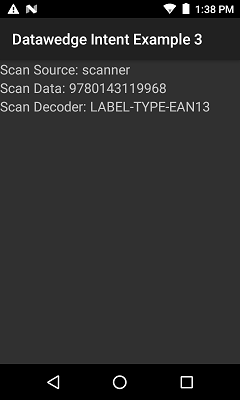
This application shows how to receive barcode scans via an Intent through the DataWedge service on Zebra mobile computing devices with a Xamarin application. Compare this with the Previous example which showed how this is done with an Android app.
You need to configure DataWedge on your device to output scans via Intent
- Launch DataWedge via Applications --> DataWedge
- Select 'Profile0 (default)'. Note that this is the default Profile DataWedge uses, if you have configured a profile specifically for this app then select that instead.
- Ensure:
- The Profile is Enabled
- Barcode input is Enabled
- Intent output is Enabled
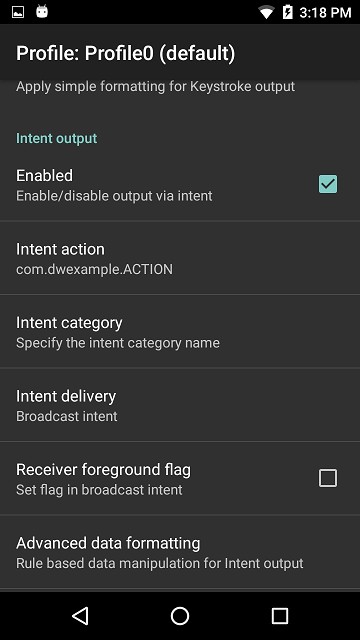
- Configure the Intent output as follows:
- Intent action: com.dwexample.ACTION (This matches the value defined at https://github.com/darryncampbell/DataWedge-Intent-Example-3/blob/master/DatawedgeIntentExample3/Resources/values/Strings.xml)
- Intent category: leave blank
- Intent delivery: Broadcast intent
- The following image shows the Intent output configuration
Launch the application
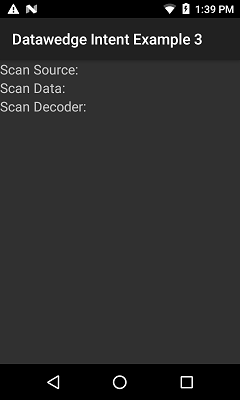
Scan a barcode. The read barcode should be shown on the UI