
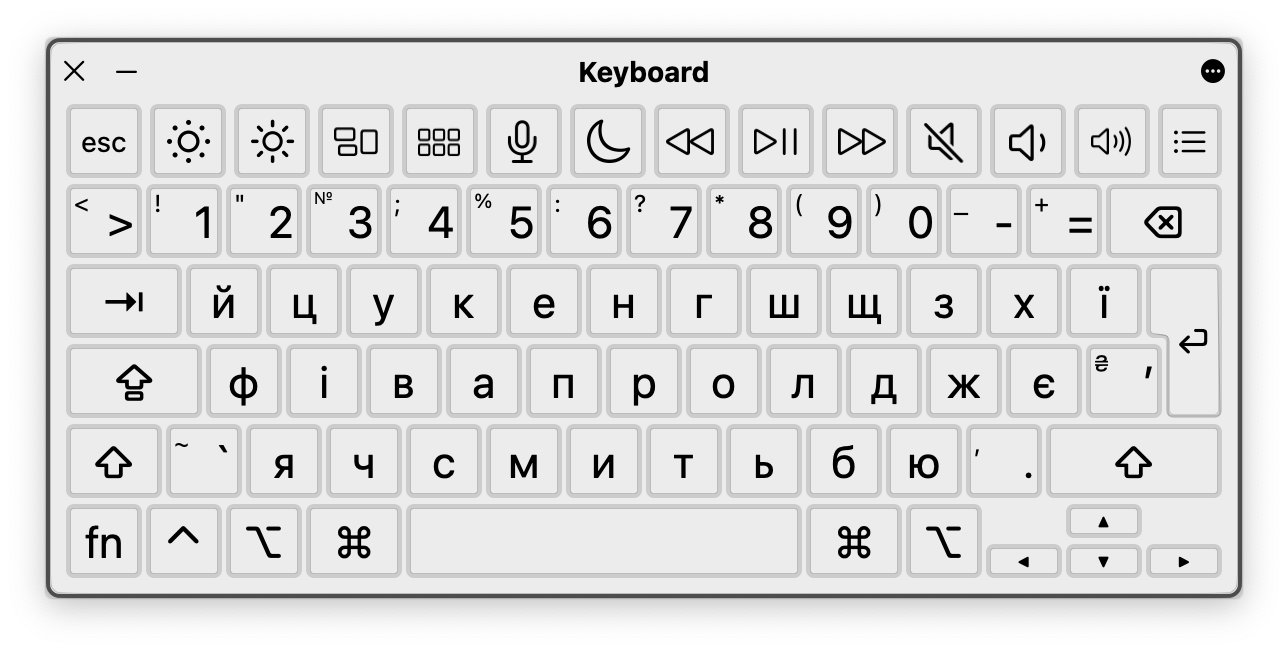
Combined Ukrainian keyboard layout with typographic symbols
This is a custom keyboard layout for Ukrainian language. It is a combination of the Ukrainian and English keyboard layout and the typographic symbols. Unlike the default layout this keyboard places specific characters in the more intuitive places.
- Added Ukrainian-specific characters (
і,є,ґ,ї,₴etc) - Russian-specific characters could be entered with modifier keys (
⌥) - Added English typographic layout for better consistency
- Neutral icons (dots) for layouts (🔴 for Ukrainian, ⚪️ for English)
'on Ukrainian layout
Want more features? Please, open an issue or send pull request.
You can install typographic keyboard layout using Homebrew:
brew install --cask ukrainian-typographic-keyboardOr do it manually:
- Download the latest version of installer
- Install the keyboard by one of these methods:
- Open
Keyboard Installer.appand chooseInstall for current user - Copy
ukrainian-typographic-keyboard.bundleto~/Library/Keyboard Layouts - Set keyboard in
System Preferences→Keyboard→Input Sources
Use modifier key (⌥ as default) when you need to type typographic symbols. For example:
⌥+c=©⌥+r=®⌥+t=™⌥+г=ґ⌥+.=…- and so on…
Below you can see how keyboard layout interacts with different modifier keys ⇧, ⌥ and ⌥+⇧.


MIT © Denys Dovhan
