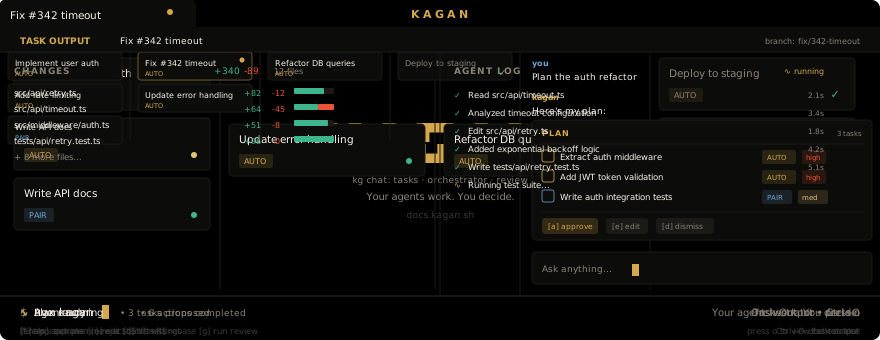









Kagan is a Kanban TUI for AI coding agents with a structural human review gate. No agent-authored task reaches your main branch without an explicit approval — the state machine enforces it.
The agent runs in an isolated git worktree. When it finishes, the task card moves to REVIEW. You read the diff, check the acceptance criteria, and press approve. Then merge fires. That transition — REVIEW to DONE — cannot be automated away. It is not a setting.
uv tool install kagan # or: uvx kaganMac / Linux (no uv)
curl -fsSL https://uvget.me/install.sh | bash -s -- kaganWindows (PowerShell)
iwr -useb uvget.me/install.ps1 -OutFile install.ps1; .\install.ps1 kagan- Kanban board (BACKLOG → IN_PROGRESS → REVIEW → DONE) enforced by a state machine
- Each task runs in its own git worktree — your working copy stays untouched
- Managed runs (background agent) or interactive attach (you + agent in tmux/editor)
- REVIEW stage requires explicit human approval before merge; no path around it
- MCP server so Claude Code, Codex, or any MCP-capable client can drive the board
kagan doctorpreflight checks all required tools before first run
Tested agents: Claude Code · Codex · Gemini CLI · 11 more — see docs/backends.
Full docs: docs.kagan.sh
The TUI (kagan) is the primary operator surface. Two companion surfaces exist for specific workflows:
- Web dashboard (
kagan web) — browser-based board, useful for remote access or a second monitor - VS Code extension — sidebar panel and
@kaganchat participant inside VS Code
Both companions share the same state as the TUI via the same API server. Neither is required.