🌐 Live Demo: showtime-eta.vercel.app
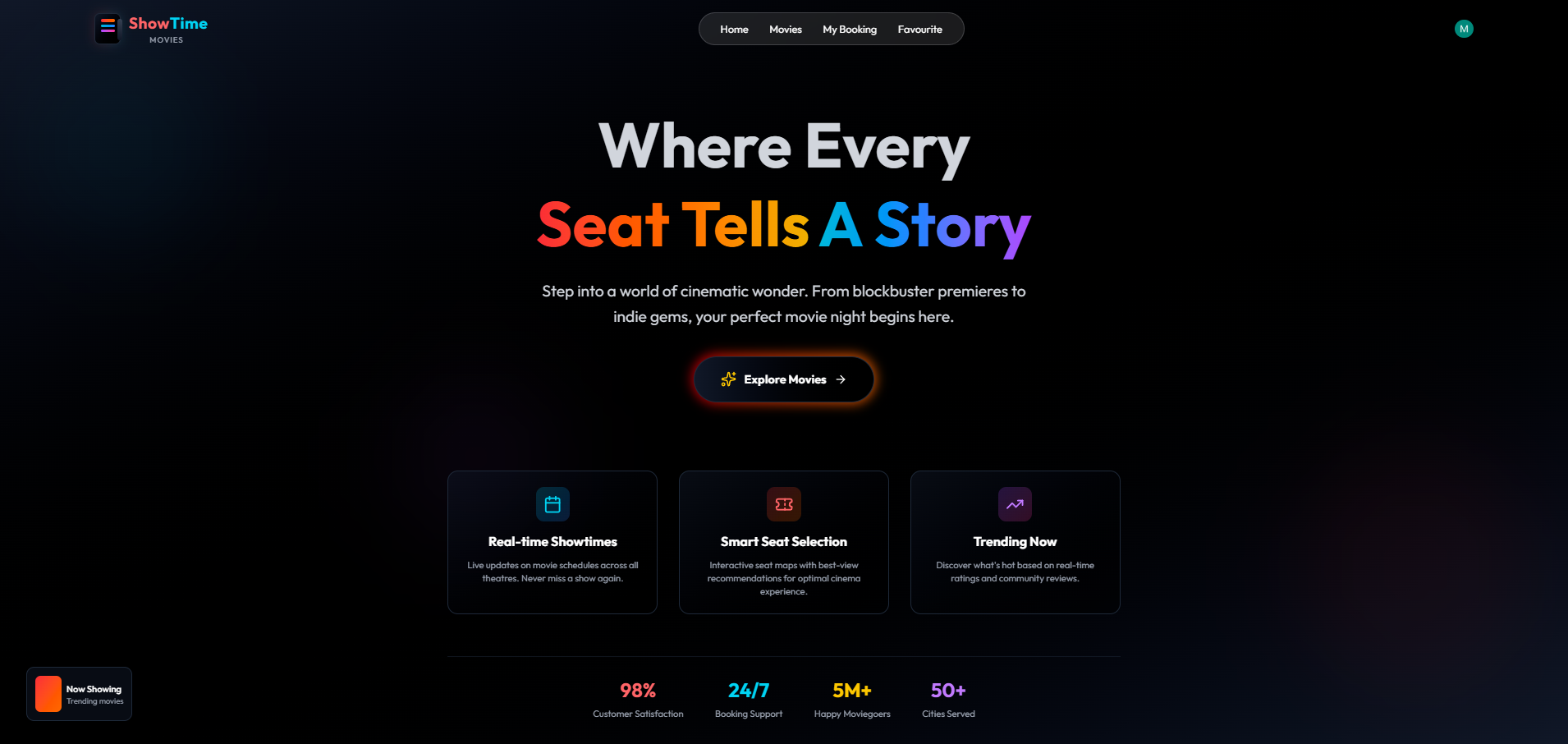
ShowTime is a full-featured, production-ready movie ticket booking platform built with the MERN stack. This application allows users to browse movies, select seats, book tickets, and make payments seamlessly.
For administrators, the platform includes a comprehensive dashboard to manage shows, track bookings, monitor revenue, and oversee the entire ticketing system with real-time analytics and control.
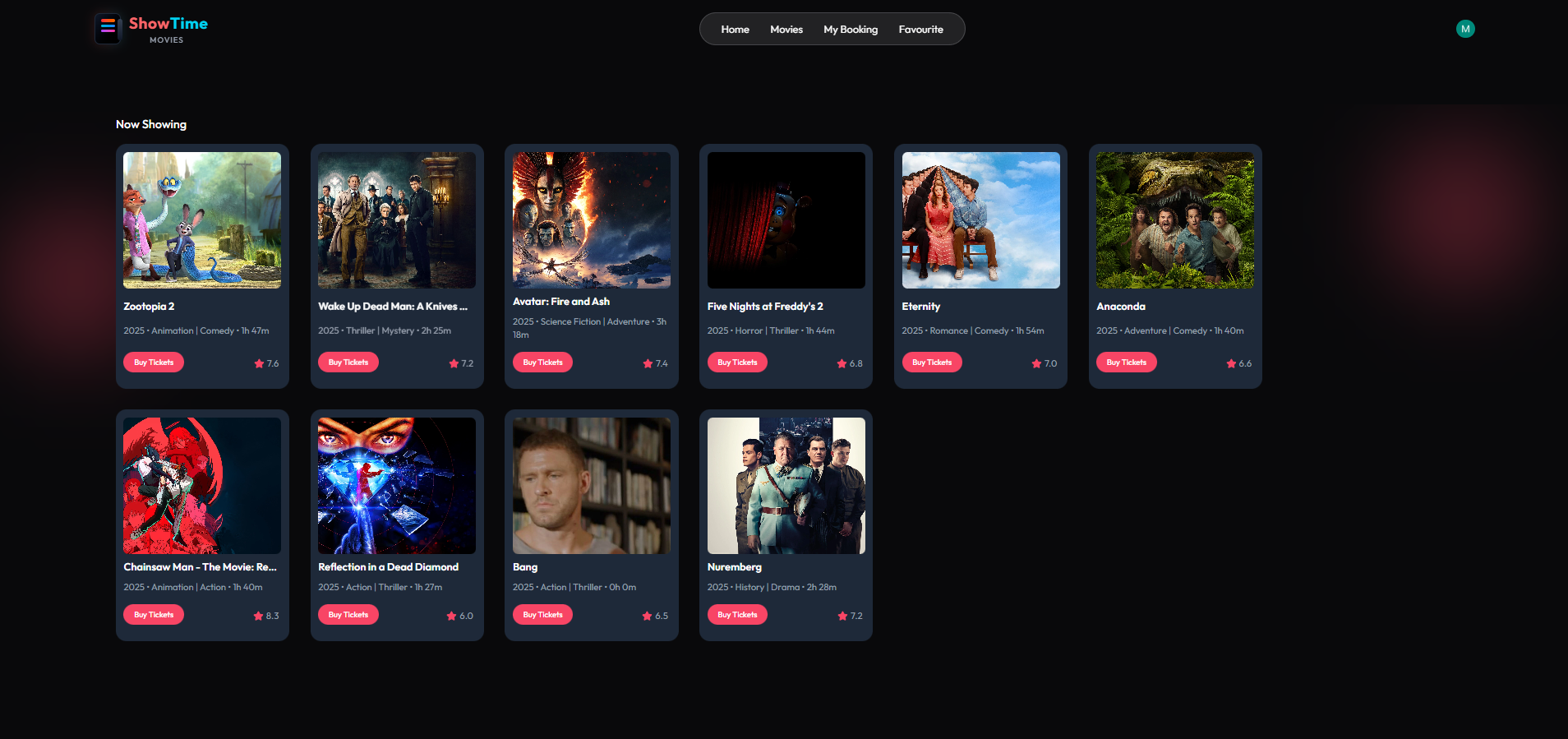
- ✅ Browse latest movies with real-time data from TMDB
- ✅ View movie details, cast, trailers, and showtimes
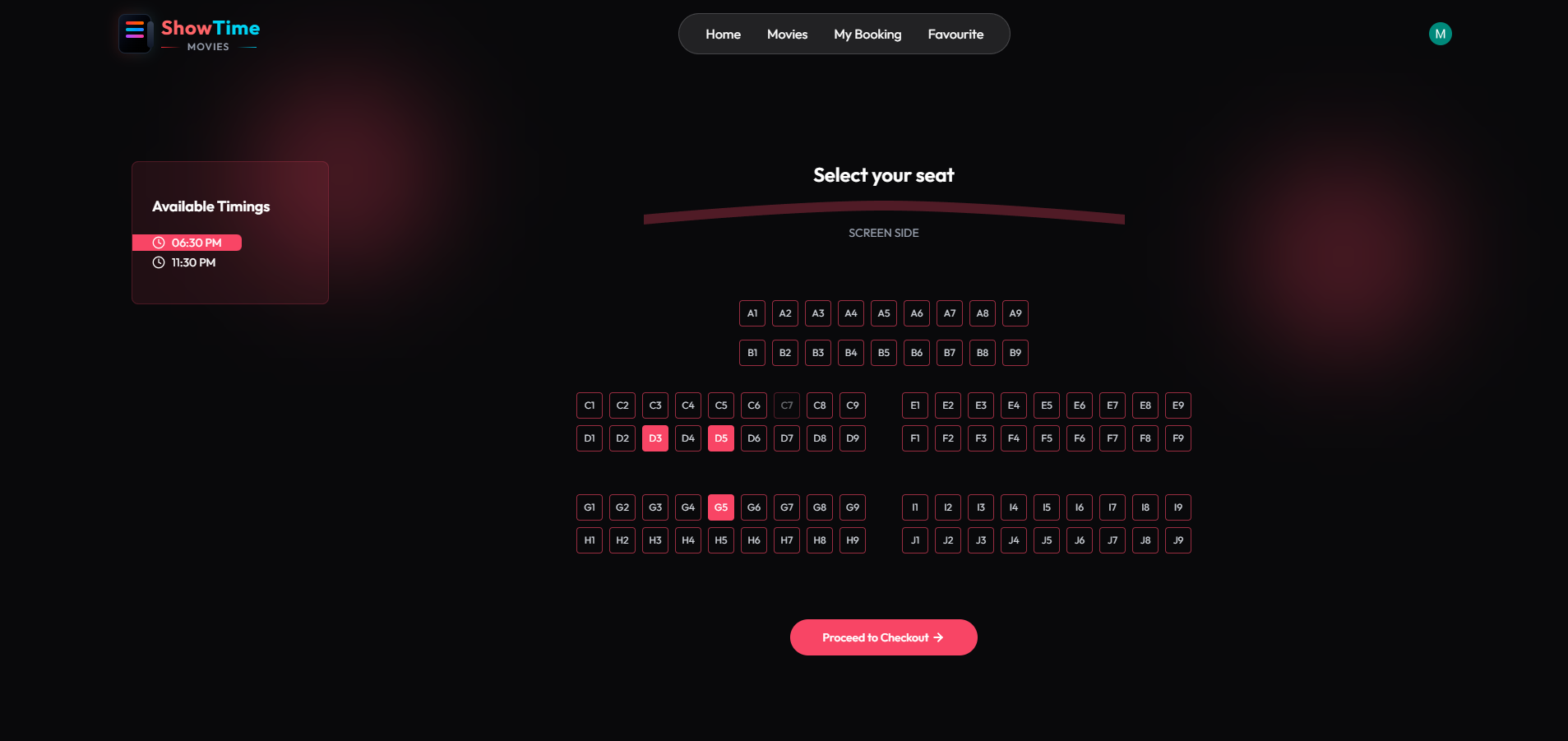
- ✅ Interactive seat selection with real-time availability
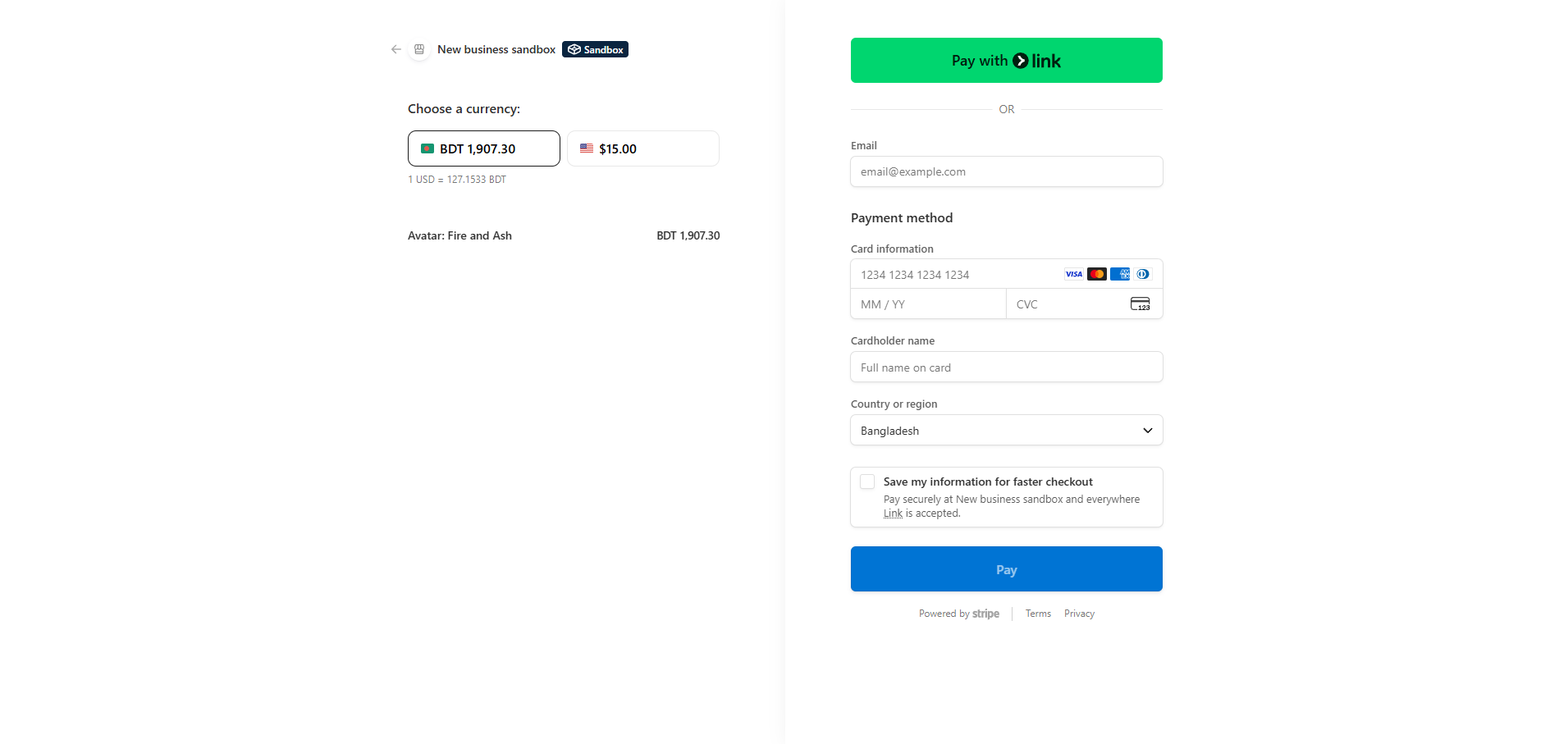
- ✅ Secure booking with Stripe payment integration
- ✅ Favorite movies system
- ✅ Booking history and management
- ✅ Email notifications for bookings and reminders
- ✅ Responsive design for all devices
- 📊 Dashboard with analytics (revenue, bookings, users)
- 🎬 Add new movie shows with TMDB integration
- 📋 Manage all shows and bookings
- 👥 View user statistics
- 🔐 Role-based access control
- 🔄 Automated seat release for unpaid bookings
- 📧 Automated email notifications (booking confirmations, reminders)
- 🕐 Background job processing with Inngest
- 🔐 Secure authentication with Clerk
- 💳 Secure payment processing with Stripe
- 🎥 Real movie data from TMDB API

.png)


.png?raw=true)


- React - UI Library
- Tailwind CSS - Styling Framework
- React Router - Navigation
- Clerk - Authentication
- React Hot Toast - Notifications
- Lucide React - Icons
- Node.js - Runtime Environment
- Express.js - Web Framework
- MongoDB - Database
- Mongoose - ODM
- Stripe - Payment Processing
- TMDB API - Movie Database
- Inngest - Background Jobs
- Nodemailer - Email Service
- Clerk - Authentication
showtime/
│
├── client/                 # React Frontend
│   ├── src/
│   │   ├── components/     # Reusable components
│   │   ├── pages/         # Page components
│   │   ├── context/       # Global state management
│   │   ├── assets/        # Images and assets
│   │   ├── lib/           # Utility functions
│   │   └── App.jsx        # Main app component
│   │
│   └── package.json
│
└── server/                # Node.js Backend
    ├── controllers/       # Business logic
    ├── models/           # Database schemas
    ├── routes/           # API routes
    ├── middleware/       # Authentication middleware
    ├── configs/         # Configuration files
    ├── inngest/         # Background jobs
    └── server.js        # Server entry point
- Node.js (v18 or higher)
- MongoDB Atlas account
- Clerk account
- Stripe account
- TMDB API key
# Navigate to server directory
cd server

# Install dependencies
npm install

# Create .env file and add your credentials
cp .env.example .env

# Edit .env file with your keys
# MONGODB_URI=your_mongodb_uri
# CLERK_SECRET_KEY=your_clerk_secret_key
# TMDB_API_KEY=your_tmdb_api_key
# STRIPE_SECRET_KEY=your_stripe_secret_key
# etc...

# Start the server
npm run dev# Navigate to client directory
cd client
# Install dependencies
npm install
# Create .env file
cp .env.example .env
# Edit .env file
# VITE_CLERK_PUBLISHABLE_KEY=your_clerk_publishable_key
# VITE_BASE_URL=http://localhost:3000
# VITE_TMDB_IMAGE_BASE_URL=https://image.tmdb.org/t/p/original
# VITE_CURRENCY=USD
# Start the development server
npm run devMONGODB_URI=your_mongodb_connection_string
CLERK_SECRET_KEY=your_clerk_secret_key
TMDB_API_KEY=your_tmdb_api_key
STRIPE_SECRET_KEY=your_stripe_secret_key
STRIPE_WEBHOOK_SECRET=your_stripe_webhook_secret
SMTP_USER=your_brevo_smtp_user
SMTP_PASS=your_brevo_smtp_password
SENDER_EMAIL=your_sender_emailVITE_CLERK_PUBLISHABLE_KEY=your_clerk_publishable_key
VITE_BASE_URL=http://localhost:3000
VITE_TMDB_IMAGE_BASE_URL=https://image.tmdb.org/t/p/original
VITE_CURRENCY=USDGET /api/show/all- Get all showsGET /api/show/:movieId- Get specific showGET /api/show/now-playing- Get now playing movies (Admin)POST /api/show/add- Add new show (Admin)
POST /api/booking/create- Create bookingGET /api/booking/seats/:showId- Get occupied seats
GET /api/user/bookings- Get user bookingsGET /api/user/favorites- Get user favoritesPOST /api/user/update-favorite- Update favorites
GET /api/admin/is-admin- Check admin statusGET /api/admin/dashboard- Get dashboard dataGET /api/admin/all-shows- Get all showsGET /api/admin/all-bookings- Get all bookings
- Seats are marked as occupied instantly upon selection
- Automatic release after 10 minutes if payment not completed
- Real-time updates across all users
- Stripe Checkout for secure payments
- Webhook handling for payment verification
- Automated booking confirmation
- Booking confirmation emails
- Payment reminder emails
- Show reminder emails (8 hours before)
- New show notification emails
- Automated seat cleanup
- Email scheduling
- User synchronization with Clerk
- Fork the repository
- Create a feature branch (
git checkout -b feature/AmazingFeature) - Commit your changes (
git commit -m 'Add some AmazingFeature') - Push to the branch (
git push origin feature/AmazingFeature) - Open a Pull Request
This project is licensed under the MIT License - see the LICENSE file for details.
Maliha Yasmin Mim
- Full Stack Developer
- MERN Stack Specialist
- Passionate about building scalable web applications
📧 Email: malihayasmin01.official@gmail.com
🐙 GitHub: github.com/malihayasminmim
Sanjana Afroj Faria
- Full Stack Developer
- MERN Stack Specialist
- Passionate about building scalable web applications
📧 Email: malihayasmin01.official@gmail.com
- TMDB for movie data API
- Clerk for authentication
- Stripe for payment processing
- Inngest for background jobs
- Brevo for email service
# Install Vercel CLI
npm i -g vercel

# Deploy
vercel- Connect your GitHub repository
- Set environment variables
- Deploy the application
- Create a free cluster
- Whitelist IP addresses
- Get connection string
Happy Coding! 🎬🍿