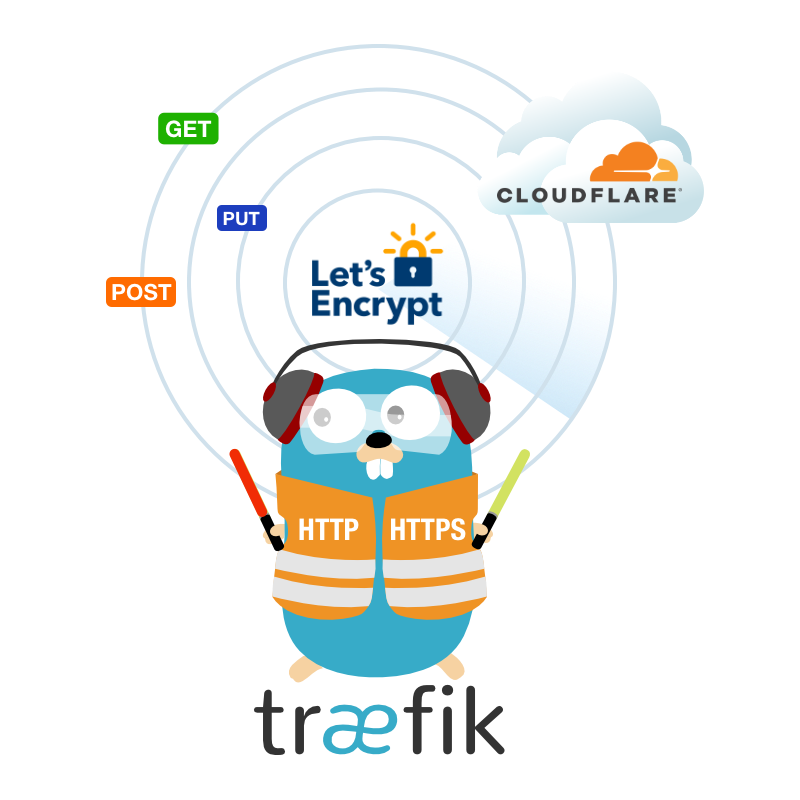






🌐 A powerful Docker solution combining Traefik reverse proxy with Cloudflare Tunnel Expose your local services to the internet securely with automatic SSL and DNS management
- ✨ Features
- 🏗️ Architecture
- 🚀 Quick Start
- ⚙️ Service Configuration
- 🔐 Cloudflare Setup
- 🔧 Advanced Configuration
- 🐳 Docker Usage
- 🤝 Contributing
- 📄 License
- 🙏 Acknowledgments
- 📞 Support
|
|
graph TB
    A[🌐 Internet] --> B[☁️ Cloudflare CDN]
    B --> C[🔒 Cloudflare Tunnel]
    C --> D[🚀 Traefik Proxy]
    D --> E[📱 Your Services]

    F[🤖 DNS API] --> G[📝 Auto DNS Records]
    H[🔐 Let's Encrypt] --> I[📜 SSL Certificates]
Flow Overview:
- 🌍 Internet Traffic → Cloudflare CDN for caching and protection
- 🔒 Secure Tunnel → Encrypted connection through Cloudflare Tunnel
- 🚀 Traefik Proxy → Intelligent routing to your services
- 🤖 Automatic SSL → Let's Encrypt certificates via DNS challenge
- 📝 DNS Management → Auto-create subdomains for services
- 🐳 Docker & Docker Compose
- ☁️ Cloudflare account with domain
- 🔑 Cloudflare API tokens
git clone https://github.com/zenkiet/traefik-tunnel-expose.git
cd traefik-tunnel-expose# Copy example environment file
cp env.example .env
# Edit configuration
nano .env # or your preferred editor# User/Group Identifiers
# These help avoid permission issues between host and container
PUID=1000
PGID=1000
UMASK=022
# Container name prefix
CONTAINER_PREFIX=
# Paths for persistent data
CONFIG_PATH=/opt/appdata/config
DATA_PATH=/opt/appdata/data
# Container settings
TZ=Asia/Ho_Chi_Minh
RESTART_POLICY=unless-stopped
NETWORK_MODE=bridge
# ===== REQUIRED =====
HOST=127.0.0.1
BASE_DOMAIN=zenkiet.dev
TAG=latest
# =============================================================================
# AUTO UPDADTE
# =============================================================================
AUTO_UPDATE=TRUE
GOTIFY_URL=
GOFITY_TOKEN=
# =============================================================================
# CLOUDFLARE TUNNEL
# =============================================================================
CF_ENABLED=true
CLOUDFLARE_DNS_API_TOKEN=your_cloudflare_zone_api_token_here
CF_ZONE_ID=your_cloudflare_zone_id
CF_TUNNEL_ID=your_cloudflare_tunnel_id
CF_ACCOUNT_ID=your_cloudflare_account_id
CF_TUNNEL_SECRET=your_cloudflare_account_secret_id
CF_API_EMAIL=kietgolx65234@gmail.com
ACME_CA_SERVER=https://acme-staging-v02.api.letsencrypt.org/directory
#! For production, use:
# ACME_CA_SERVER=https://acme-v02.api.letsencrypt.org/directory# 🚀 Start services
make up
# 📊 Check status
make status- 🎛️ Traefik Dashboard: http://127.0.0.1:8080
- 🌐 Your Services: https://service.yourdomain.com
Create configuration files in conf.d/ directory:
# 🚀 HTTP Router and Service Configuration
http:
  routers:
    myapp:
      rule: 'Host(`myapp.yourdomain.com`)'
      service: 'myapp-service'
      entrypoints:
        - websecure
      tls:
        certResolver: cloudflare
      middlewares:
        - default-headers
        - rate-limit

  services:
    myapp-service:
      loadBalancer:
        servers:
          - url: 'http://myapp-container:3000'
        healthCheck:
          path: '/health'
          interval: '30s'

  middlewares:
    default-headers:
      headers:
        frameDeny: true
        sslRedirect: true
        browserXssFilter: true
        contentTypeNosniff: true
        forceSTSHeader: true
        stsIncludeSubdomains: true
        stsPreload: true
        stsSeconds: 31536000

    rate-limit:
      rateLimit:
        burst: 100
average: 50📱 Web Application with Authentication
http:
  routers:
    webapp-secure:
      rule: 'Host(`webapp.yourdomain.com`)'
      service: 'webapp'
      entrypoints:
        - websecure
      tls:
        certResolver: cloudflare
      middlewares:
        - auth
        - secure-headers

  services:
    webapp:
      loadBalancer:
        servers:
          - url: 'http://webapp:8080'

  middlewares:
    auth:
      basicAuth:
        users:
          - 'admin:$2y$12$...' # Generated with htpasswd -nb admin <password>

    secure-headers:
      headers:
        accessControlAllowMethods:
          - GET
          - OPTIONS
          - PUT
        accessControlAllowOriginList:
          - https://yourdomain.com
        accessControlMaxAge: 100
        hostsProxyHeaders:
          - 'X-Forwarded-Host'
🗄️ Database Service (Internal Only)
http:
  routers:
    db-admin:
      rule: 'Host(`db.yourdomain.com`)'
      service: 'database-admin'
      entrypoints:
        - websecure
      tls:
        certResolver: cloudflare
      middlewares:
        - ip-whitelist
        - auth

  services:
    database-admin:
      loadBalancer:
        servers:
          - url: 'http://adminer:8080'

  middlewares:
    ip-whitelist:
      ipWhiteList:
        sourceRange:
          - '192.168.1.0/24'
- '10.0.0.0/8'- 🌐 Navigate to Cloudflare API Tokens
- 🔧 Create Custom Token with permissions:
| Scope | Resource | Permission |
|---|---|---|
| Zone | Zone:Read | Specific zones |
| Zone | DNS:Edit | Specific zones |
| Account | Cloudflare Tunnel:Edit | Specific accounts |
- 📋 Copy the generated token
🖥️ Using cloudflared CLI (Recommended here)
# 📥 Install cloudflared
curl -L https://github.com/cloudflare/cloudflared/releases/latest/download/cloudflared-linux-amd64.deb -o cloudflared.deb
sudo dpkg -i cloudflared.deb

# 🔐 Authenticate with Cloudflare
cloudflared tunnel login

# 🚇 Create tunnel
cloudflared tunnel create my-tunnel

# 🎫 Generate tunnel token
cloudflared tunnel token my-tunnel

# 📋 Print tunnel info
cloudflared tunnel info my-tunnel
{
"Tunnel": "your-tunnel-id", # CF_TUNNEL_ID
"AccountTag": "your-account-tag", # CF_ACCOUNT_ID
"TunnelToken": "your-tunnel-token" # CF_TUNNEL_TOKEN
}- Go to Zero Trust → Networks → Tunnels
- Create new tunnel
- Install connector and copy the token
cloudflared tunnel token --cred-file ./credentials.json <TUNNEL_ID>{
"Tunnel": "your-tunnel-id", # CF_TUNNEL_ID
"AccountTag": "your-account-tag", # CF_ACCOUNT_ID
"TunnelToken": "your-tunnel-token" # CF_TUNNEL_TOKEN
}The service automatically creates DNS records, but you can manually verify:
# 🔍 Check DNS records
dig myapp.yourdomain.com
nslookup myapp.yourdomain.com⚡ Custom Traefik Configuration
Create config/traefik-dynamic.yml for advanced settings:
# 🔐 TLS Configuration
tls:
  options:
    default:
      sslProtocols:
        - 'TLSv1.2'
        - 'TLSv1.3'
      cipherSuites:
        - 'TLS_ECDHE_RSA_WITH_AES_256_GCM_SHA384'
        - 'TLS_ECDHE_RSA_WITH_CHACHA20_POLY1305'
        - 'TLS_ECDHE_RSA_WITH_AES_128_GCM_SHA256'

# 📊 Global Middlewares
http:
  middlewares:
    secure-headers:
      headers:
        accessControlAllowMethods:
          - GET
          - OPTIONS
          - PUT
        accessControlMaxAge: 100
        hostsProxyHeaders:
          - 'X-Forwarded-Host'
referrerPolicy: 'same-origin'⚡ Performance Tuning
services:
  traefik-tunnel:
    deploy:
      resources:
        limits:
          cpus: '2.0'
          memory: 1G
        reservations:
          cpus: '0.5'
          memory: 256M
    healthcheck:
      test: ['CMD', 'traefik', 'healthcheck']
      interval: 30s
      timeout: 10s
      retries: 3
start_period: 40s# 🎯 Latest version
docker pull zenkiet/traefik-tunnel-expose:latest
# 🏷️ Specific version
docker pull zenkiet/traefik-tunnel-expose:v1.0.0
# 📊 Check image info
docker inspect zenkiet/traefik-tunnel-expose:latestdocker run -d \
--name traefik-tunnel \
--restart unless-stopped \
-p 80:80 \
-p 443:443 \
-p 8080:8080 \
-v /var/run/docker.sock:/var/run/docker.sock:ro \
-v ./data:/data \
-v ./config:/etc/traefik \
-e CF_API_TOKEN=your_token \
-e CF_ZONE_ID=your_zone_id \
zenkiet/traefik-tunnel-expose:latestWe welcome contributions! Here's how you can help:
- 🔍 Search existing issues
- 📝 Create detailed bug report
- 🏷️ Use appropriate labels
- 💡 Discuss in GitHub Discussions
- 📋 Create feature request issue
- 🚀 Submit pull request
# 🍴 Fork and clone
git clone https://github.com/your-username/traefik-tunnel-expose.git
cd traefik-tunnel-expose

# 🌿 Create feature branch
git checkout -b feature/amazing-feature

# 🔧 Make changes and test
docker-compose up -d

# ✅ Commit changes
git commit -m "✨ Add amazing feature"

# 🚀 Push and create PR
git push origin feature/amazing-featureWe use Conventional Commits:
✨ feat:New features🐛 fix:Bug fixes📚 docs:Documentation🎨 style:Code formatting♻️ refactor:Code restructuring⚡ perf:Performance improvements✅ test:Testing🔧 chore:Maintenance
This project is licensed under the MIT License - see the LICENSE file for details.
MIT License

Copyright (c) 2025 ZenKiet
This project wouldn't be possible without these amazing technologies:

Traefik Reverse Proxy |

Cloudflare Tunnel & Security |

Alpine Linux Lightweight OS |

Docker Containerization |







⭐ If this project helped you, please consider giving it a star! ⭐
Made with ❤️ by ZenKiet

